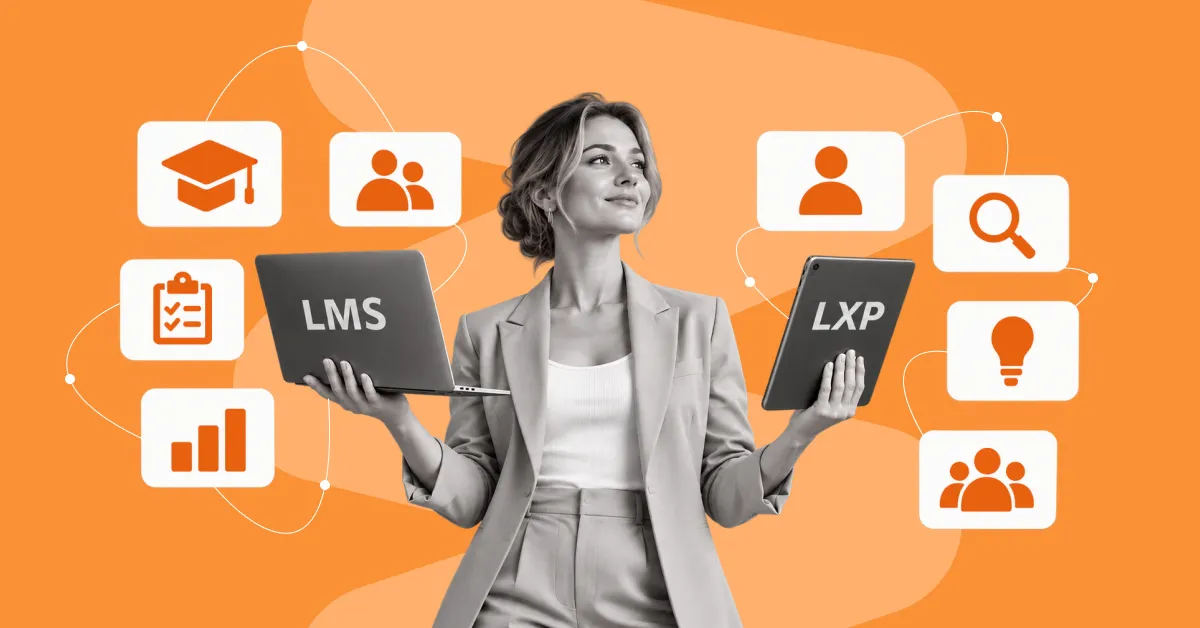
An LXP (learning experience platform) and an LMS (learning management system) address different needs in corporate learning.
An LXP focuses on personalized development, self-directed knowledge discovery, and content recommendations, while an LMS provides structured learning, course assignment, progress tracking, and certification.
At the same time, the line between LXPs and LMSs is becoming increasingly blurred. Modern LMSs are adding personalization, recommendations, and other learning experience features, while some LXPs are expanding their learning program management capabilities. So, in this article, we compare LXP vs LMS, look at use cases for each platform, and explain when it makes sense to use them together.
What is a Learning Experience Platform and how does it work?
A learning experience platform (LXP) is a digital environment for personalized, self-directed, and continuous employee learning. These platforms bring learning content together from different sources, help people find the materials they need, and recommend them based on the user’s role, skills, and learning interests.
Unlike an LMS, where learning is often built around courses and programs assigned by the company, an LXP puts the employee’s own experience at the center. Users can decide for themselves what they need to learn, find relevant materials, and build their own development path.
What can an LXP do?
An LXP combines several tools that help employees do more than complete assigned courses: they can find and use knowledge at the moment they need it.
- Content aggregation — LXPs can collect learning materials from various internal and external sources in one place: courses, videos, articles, documents, podcasts, and more.
- Search — employees can quickly find the material they need by topic, skill, or query.
- Personalized recommendations — the system suggests content based on the employee’s role, skills, interests, and previous activity.
- Skills profile — users can see their current competencies and the areas worth developing.
- User-generated content — employees can create and share their own learning materials and useful resources.
- Social learning — comments, recommendations, and knowledge sharing help spread expertise across the company.
As a result, an LXP turns learning from a set of assigned courses into an environment for continuous knowledge discovery and sharing.
For example, a sales manager needs to improve their negotiation skills before an important meeting. Instead of waiting for a new course to be assigned, they can find a video on negotiation techniques, an internal company guide, and a relevant online course in the LXP on their own. The platform may also suggest additional materials based on their profile and previous activity.
This is why an LXP is focused not only on completing training but also on the continuous discovery, use, and sharing of knowledge.
That said, the quality of search, recommendations, skills management, content aggregation, and social learning can vary significantly from product to product. An LXP defines an approach to organizing the learning experience, but it does not guarantee the same functionality across different platforms.
LXP vs. LMS: What are the key differences?
The main difference between LXP and LMS lies in the learning model: an LMS manages structured programs and mandatory training, while an LXP helps employees find knowledge and develop skills on their own.
In an LMS, the company usually decides what needs to be completed, by whom, and when. The system assigns courses, sets deadlines, records results, and generates reports. This approach works well for onboarding, compliance, certification, and other programs with clear requirements.
In other words, an LMS mostly works on a push model, where the company delivers training to the user, while an LXP uses a pull model, where the user seeks out the knowledge they need.
LXP and LMS: comparison of key characteristics
| Criterion | LMS | LXP |
| Main goal | Managing structured learning | Personalized learning experience and development |
| Primary user | Company, HR, L&D manager, administrator | Employee who learns independently |
| Learning model | Push: the company assigns training | Pull: the employee finds content on their own |
| Content | Mostly courses and programs created or selected by the company | Internal and external courses, articles, videos, documents, and other resources |
| Learning paths | The company defines a development program → the system helps organize it | The system analyzes the profile and activity → suggests relevant content |
| Personalization | Mostly through assigning courses to specific groups | Through the user’s profile, skills, interests, and activity |
| Collaboration and knowledge sharing | Depends on the capabilities of the specific LMS | One of the key elements of an LXP |
| Control and reporting | Priority: completion, results, certification, and compliance | Priority: activity, content engagement, and skills development |
The key distinction in the learning experience platform vs LMS comparison is not whether personalization is present or absent, but the approach to organizing the learning experience. An LMS is focused on managing learning programs and employee development, while an LXP puts additional emphasis on search, recommendations, and interaction with content.
When should you use an LMS, and when is an LXP a better fit?
In short, an LMS is the best fit for structured learning processes, while an LXP suits scenarios where employees develop skills on their own, look for knowledge, and work with a variety of content. The choice of platform should be based on the specific task rather than the formal type of system.
When does an LMS fit a company’s needs?
An LMS is convenient wherever learning has a defined program, sequence, and expected outcome.
Typical LMS scenarios:
- New employee onboarding — the company builds an adaptation program, assigns the necessary courses, and tracks their completion.
- Mandatory training — employees complete programs on occupational safety, information security, compliance, and other areas in line with company requirements.
- Certification — an LMS helps organize training ahead of testing and stores information about certificates earned.
- Professional development — the company or a manager can create an individual development plan for an employee with specific goals and learning activities.
- Corporate training programs — an LMS supports long-term programs where it is important to define the order of learning and evaluate the results.
For example, a company launches an onboarding program for new sales managers. During the first week, the employee completes a course on the company’s products, then CRM training, then takes a test and moves on to the next stage. An LMS brings these activities together into a single program and shows its status.
If learning needs to be planned, organized, and delivered step by step to a defined group of employees, an LMS suits that scenario well.
When is an LXP the right choice?
An LXP is especially useful in scenarios where employees need to find knowledge and develop skills on their own, without being tied to a single predefined program.
- Upskilling (developing existing skills) — an employee deepens their competencies in their current professional role.
- Reskilling (acquiring new skills) — an employee masters the competencies required for a new role or area of work.
- Continuous professional development — an employee regularly works with new materials and keeps their knowledge up to date.
- Finding knowledge for a specific work task — a user finds the information they need exactly when they need it for their work.
- Knowledge sharing within the company — employees can recommend materials, share their own content, and draw on their colleagues’ expertise.
For example, a marketer wants to get better at data analytics. In an LXP, they can find a Power BI course, videos on building dashboards, internal company materials, and additional resources on their own. The platform’s recommendations can then expand this set based on their interests and skills.
If the main need is to help employees find relevant knowledge and develop skills on their own, an LXP fits that approach.
Does a company always need a separate corporate learning experience platform?
No. Not every organization needs a standalone LXP. If the existing LMS already supports personalization, individual development plans, content recommendations, and other needed scenarios, an additional platform may not add enough value.
At the same time, an LXP can be a good fit if the company works with a large number of internal and external sources of learning content and wants to make searching for and using that content easier for employees.
So when choosing, it is worth evaluating not only the functionality of individual platforms but also the company’s current learning environment, employees’ needs, and the problems that remain unsolved.
If the LMS already covers the necessary learning scenarios → first look at the options for developing it further. If you need a separate experience for search, recommendations, and consuming varied content → consider an LXP.
Does an LXP replace an LMS, and how can the systems work together?
An LXP does not necessarily replace an LMS: in many organizations, the two platforms complement each other, combining learning management with a personalized employee experience.
An LMS can remain the main environment for organizing learning programs, assigning courses, tracking completion, certification, and storing learning results. An LXP adds search, recommendations, content aggregation, and self-directed development to that approach.
What data can an LMS and an LXP exchange?
Integration can cover employee profiles, skills information, content catalogs, activity history, and learning results.
For example, an employee completes a mandatory course in the LMS. Information about its completion is passed to the connected learning environment, and the LXP can use this data to shape its next recommendations.
The value of integration is that learning data does not stay isolated in separate systems.
What risks arise when using an LMS and an LXP together?
The main risk is creating two separate learning environments with duplicated content, data, and administrative processes.
If the LMS and LXP are not integrated, an employee may not see the full history of their learning, and the L&D team may have to pull data from several sources. As a result, manual work increases and reporting becomes more complex.
Before implementing two platforms, it is worth deciding in advance:
- which system is responsible for the core learning data
- where results and certificates are stored
- what data is passed between the systems
- how profiles and skills are synchronized
- where employees find and launch learning content
If the LMS and LXP operate within a shared architecture, employees get a personalized experience without losing structured learning management.
Today, the market also offers HR platforms that combine LMS and LXP functions in a single environment. This approach removes the need to build an integration between two separate products and lets you use one platform for learning management, skills development, and content work.
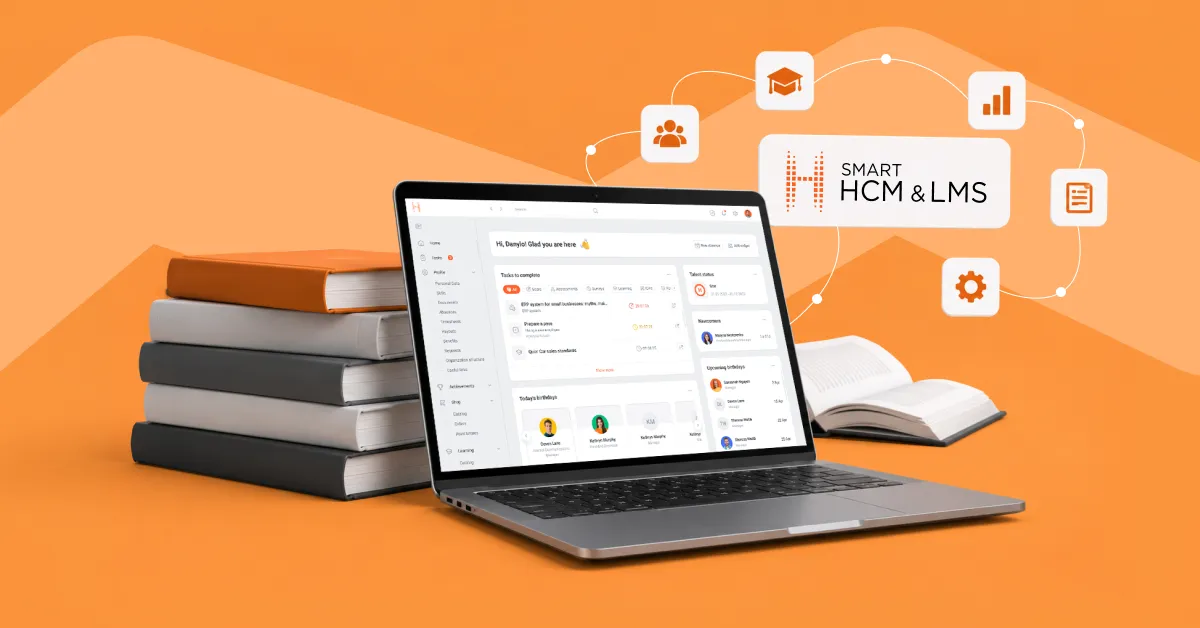
For example, the SMART HCM & LMS platform combines e-learning, individual development plans, skills and competency management, employee assessment, onboarding, and HR analytics. The e-learning module provides a catalog of self-study courses and lets you track employee progress. The individual plans module helps build programs based on learning and assessment results, and the skills and competencies module links them to positions and employee profiles. This means there is no need to implement a separate LXP on top of the LMS.
Which LXP features matter, and what are the platform’s limitations?
What makes an LXP effective is not the number of features but the quality of its search, recommendations, skills management, content, and learning data. When choosing learning experience platform software, assess how well it fits real employee development scenarios and how easily it can be integrated into your existing learning environment.
Which features must an LXP cover?
For corporate use, pay attention to the following learning experience platform features:
- Content search and aggregation — the platform brings together materials from different sources and helps users quickly find the information they need.
- Skills mapping — the system can link skills to roles, employee profiles, and professional development paths.
- Personalized learning paths — users receive relevant content and recommendations based on their own needs and goals.
- Support for social learning and user-generated content — employees can share knowledge, recommend materials, and create their own content.
- Mobile access — users can work with learning materials regardless of location or device.
- Analytics — functionality that lets the company easily get data on how employees engage with content, their learning activity, and skills development.
At the same time, the mere presence of AI recommendations does not mean the platform personalizes learning well. The quality of recommendations depends on the data the algorithms work with, the quality of the content, and the system’s configuration.
For example, if an employee’s profile contains only their job title, with no information about their skills, previous learning, or professional interests, the recommendations will have far less context. So during an LXP demo, check not only that recommendations exist, but also what data the system uses to generate them and whether an administrator can influence the results.
What are the platform’s limitations?
An LXP does not automatically eliminate the challenges of corporate learning. The platform can make access to knowledge easier, but the outcome depends on the quality of the content, employee engagement, and how closely learning is tied to their work tasks.
The main limitations to consider:
- Dependence on recommendation quality — if the algorithm misjudges a user’s interests, skills, or level, it may offer a lot of content but few truly relevant materials.
- Difficulty assessing informal learning — watching a video, reading an article, or joining a discussion does not mean the employee has mastered a skill. For this reason, an LXP cannot always provide the same clear-cut learning outcome as a test or the completion of a structured course in an LMS.
- Moderation of user-generated content — materials created by employees require publishing rules and quality control.
- Dependence on external content sources — if the LXP aggregates materials from various platforms, integrations, access rights, and catalogs have to be kept up to date. Changes to the structure or terms of an external service can affect content availability.
- Limited control over self-directed learning — when employees choose their own materials and learning sequence, it is harder for the company to ensure a single program for all users. For mandatory training, this may require additional LMS tools.
- Difficulty building a unified view of development — learning data may be spread across different content sources. Without integration with an LMS, HCM, and other systems, it is harder to link a user’s activity to their competencies, development plan, and assessment results.
An LXP works best as an environment for discovering and consuming knowledge, but it does not replace every learning management process. If a company needs to assign programs, run assessments, maintain individual development plans, and record mandatory results, these tasks must be covered by the relevant LMS functionality or by integrations.
How do you choose an LXP, LMS, or a platform that combines both?
When deciding how to choose a learning experience platform, start not by comparing LXP and LMS features, but by describing your company’s learning scenarios.
Step 1. List your real learning scenarios
Don’t start with the question “Which platform has more features?” First, write down 5-7 situations the system must handle:
- a new employee goes through onboarding
- an employee receives an individual development plan
- a manager assigns a mandatory course to their team
- an employee wants to develop a particular skill on their own
- HR runs assessments and identifies competency gaps
- a manager reviews their team’s learning results
- HR builds a report on employee progress
This list will help you determine whether the company needs a separate LXP or whether LMS functionality is enough to organize learning and employee development. If a system supports learning programs, individual development plans, work with skills and competencies, assessment, and analytics, it can cover a significant share of the tasks a company sets for corporate learning.
Step 2. Decide which features are mandatory
Once you have your scenarios, divide the requirements into mandatory and nice-to-have.
Mandatory requirements may include:
- creating learning programs and individual plans
- managing courses and learning materials
- employee assessment
- work with skills and competencies
- tracking results and progress
- reporting for HR and managers
- integration with other HR systems
Don’t add a feature to your requirements just because it appears in a vendor’s presentation. First, determine which business scenario it is supposed to improve.
Step 3. Check where employee and learning data will be stored
This is especially important if the company uses, or plans to implement, an HCM, HRM, or other corporate systems.
Decide where the following should be stored:
- the employee profile
- job title and organizational structure
- skills and competencies;
- assessment results
- the individual development plan
- assigned and completed training
If this data lives in different systems, decide in advance which system is the source for each type of data and how they are synchronized.
For example, it works well when assessment results can identify the competencies that need development. An individual plan is built on that basis, with relevant learning activities added to it. After the training is completed, the results flow back into the employee’s overall profile.
The more closely learning is tied to other HR processes, the more important it is to evaluate the platform as part of an HCM ecosystem rather than as a standalone course catalog.
Step 4. Test the platform on real data
Ask the vendor to show not the standard product presentation but several of your own scenarios in action.
For example: create a development plan for a manager who has a gap in management competencies based on assessment results. Show how the system identifies the required skills, builds the learning, records completion, and displays the result in reporting.
When evaluating learning experience platform vendors, you can add another scenario: an employee wants to develop data skills. Show how the system finds relevant content, generates recommendations, and takes previous learning activity into account.
A test like this reveals how the system really works better than a long list of claimed features.
Step 5. Calculate the full cost of the solution, not just the license
Compare not only the subscription or license price. For a fair assessment, take into account:
- implementation and configuration
- integration with HCM, HR, and other systems
- migration of existing content and data
- administrator training
- technical support
- ongoing administration and development of the system
This is the TCO (total cost of ownership). Two platforms with the same license price can have very different overall costs after implementation.
Step 6. Decide whether you need a separate LXP
After analyzing your scenarios, data, and costs, you can move on to the actual selection.
An LMS is enough if the company needs structured learning programs, individual development plans, assessment, work with competencies, and reporting.
An LXP is worth considering if the key need is content search and aggregation from various sources, personalized recommendations, and self-directed learning for employees.
A combined approach makes sense if the company wants to keep structured learning management while also expanding employees’ ability to search for and consume content on their own.
For example, in SMART HCM & LMS, learning is connected to the other stages of working with an employee, from onboarding and assessment to work with competencies and planning further development. A comprehensive HR system lets you avoid treating learning as a separate process and take its results into account in your subsequent work with the employee.
LXP and LMS FAQ
What is a Learning Experience Platform?
A Learning Experience Platform (LXP) is a platform that helps employees find, consume, and recommend learning content based on their own needs. It can bring together materials from different sources, use recommendations, and support self-directed learning.
What is the main difference between an LXP and an LMS?
An LMS (Learning Management System) is primarily focused on managing learning: courses, programs, testing, certification, completion tracking, and reporting. An LXP (Learning Experience Platform) focuses on the user experience, personalization, and learner engagement.
Can an LXP replace an LMS?
Not always. An LXP and an LMS solve different problems. An LMS is oriented toward centralized learning management: administering courses, assigning learning programs, monitoring completion, testing, and reporting. An LXP is more oriented toward self-directed, personalized learning, helping employees find relevant content and build their own development path.
Should an organization use both an LXP and an LMS?
Yes, an LXP and an LMS can work together if a company needs both structured learning management and expanded capabilities for content search and recommendations.
When should a company choose an LMS rather than an LXP?
An LMS may be enough if it is important for the company to manage learning programs centrally, monitor course completion, run testing, and produce reports. This is especially relevant for mandatory training, onboarding, and development programs.
Which features should an LXP include?
An LXP may include personalized content recommendations, search for learning materials, individual learning paths, recommendations based on role and competencies, social learning, and user activity analytics.
How can an organization determine whether it needs a separate LXP?
If the current LMS already provides the necessary level of personalization and user experience, a separate LXP may be redundant. If the LMS handles administration well but does not meet employees’ needs for personalized learning, an LXP can complement it.
Can a modern LMS provide LXP capabilities?
Yes, modern LMSs can include features traditionally associated with LXPs, for example learning personalization, content recommendations, self-study catalogs, and skills management.
If your company is facing challenges with organizing learning, developing skills, or working with learning content, submit a request. The SMART business team will help you determine how to address these tasks most effectively, whether with an LMS, an LXP, or a comprehensive HR solution, and will assist with selecting and implementing a system for your needs.